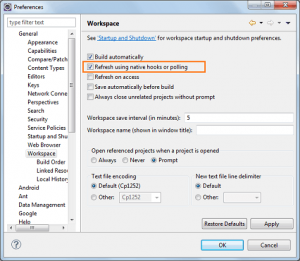
If you are a regular Eclipse user than you might have got this error many times. The error simply says, "you've made changes in files in your workspace from outside eclipse". The simplest solution would be to select the project and press F5 (Right click -> Refresh). This will re-sync any external changes to the file system and eclipse would now know what exactly is ...
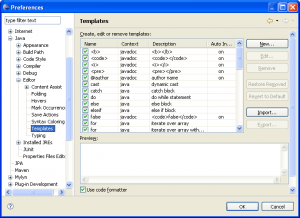
If you are using Eclipse as your primary development IDE, then you may want to know about Code templates in Eclipse. Code templates are certain user defined (some are available by default) templates which can assist in rapid code writing. Not only code templates increase your code writing speed, but it also add consistency across the code.To add a code template, all you need to ...
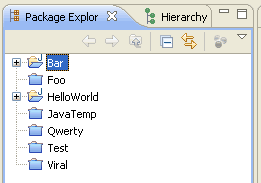
Ever wanted to hide all those closed projects in eclipse? Well, here is a simple trick that you may not know already.Imagine your Eclipse workspace is filled with many projects that you created in past just to test some small functionality. Now you are done with these projects and hence you have closed it. Eclipse by default show all the closed projects in Project ...
Eclipse have been my favorite Java IDE since I started coding in Java. Shortcuts makes life very easy when you are working with any IDE. Eclipse also comes with lot of shortcuts that makes like of a developer easy.Following are few shortcuts of my choice.Ctrl + Shift + O : Organize imports Ctrl + / : ...
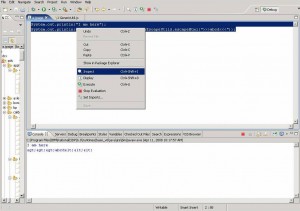
The java IDEs (eclipse, IRAD etc) contribute a scrapbook facility that can be used to try and evaluate Java expressions (such as code snippets). Java scrapbook errors are shown in the editor. Snippets are edited and evaluated in the Scrapbook page editor. In the editor you can select a code snippet, evaluate it, and display the result as a string in console.Creating a Java Scrapbook ...