JQuery Tutorials, Tips & Tricks
jQuery is a cross-browser JavaScript library designed to simplify the client-side scripting of HTML. It was released in January 2006 at BarCamp NYC by John Resig. Used by over 49% of the 10,000 most visited websites, jQuery is the most popular JavaScript library in use today.
jQuery is free, open source software, dual-licensed under the MIT License or the GNU General Public License, Version 2. jQuery’s syntax is designed to make it easier to navigate a document, select DOM elements, create animations, handle events, and develop Ajax applications. jQuery also provides capabilities for developers to create plug-ins on top of the JavaScript library. This enables developers to create abstractions for low-level interaction and animation, advanced effects and high-level, theme-able widgets. The modular approach to the jQuery framework allows the creation of powerful and dynamic web pages and web applications.
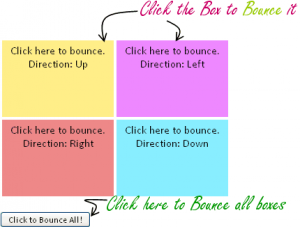
Let us see how can we create a Bounce Effect in HTML pages using jQuery. Bounce effect is an effect which resembles bouncing of a ball on floor or on a wall. These kind of effects dramatically improve user experience. Related:
FadeIn / FadeOut Effect jQuery The Goal...
In one of my previous article about
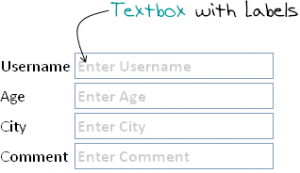
Change Form Textbox Style on Focus, we discussed about Usability and HCI issues. Slight change in web pages/input forms can increase user experience.Nowadays, it has became a common practice to give user labels on fields that they are editing. For example, if you see Google's custom search textbox ...
Let us create a simple Accordion Menu using jQuery. Accordion Menu are the menu with some animation effect. It has few top line menu items which when clicked toggles to open sub menu options. When another top level menu is selected, other open menu will automatically collapse and save useful screen area. We will use
jQuery effects to animate the accordion menu. jQuery provides ...
User experience has always been a factor to be consider while you design a website. Lot of fields such as Human Computer Interface (HCI) and Usability etc have been studied upon. While designing a user interface, special care should always been taken while placing the text fields and selecting fonts. While lot of web designers prefer ...
Following are few very useful jQuery Tips and Tricks for all jQuery developers. I am sharing these as I think they will be very useful to you. Disclaimer: I have not written all of the below code but have collected from various sources from Internet.1. Optimize performance of complex selectors Query a subset of the DOM when using ...
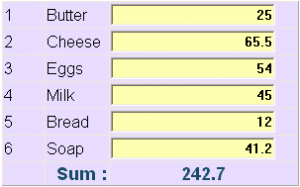
Here is a small code snippet to sum the values of all textboxes in a form in JavaScript using jQuery. I wrote it for some functionality and thought to share it with you all. The requirement is simple, whenever user modify the value of a textbox, the fresh sum should be calculated and displayed on the ...
jQuery has became one of the most used and most loved JavaScript framework of all time. It not only does reduce the overhead in coding simple techniques in JavaScript, but also make your code cross browser compatible. I have written many tutorials on jquery and this time also I came with this simple plain implementation. The ...
Autocomplete is a common feature available in lot of web tools and services. You will find lots of implementation of autocomplete features. Let us see how can we implement a simple Autocomplete feature for Country names in Java-JSP and jQuery.We will use
jQuery's autocomplete plugin for our example. I have used Eclipse for the development of this demo.Create a dymanic web project ...
Tagging the content has increased the searchability of content in todays Web 2.0 world. Also similar content can be grouped together by assigning them same tags.Tag Cloud has became a good way of displaying the weighted tags in a manner easy to understand and search. You can find a lot of code written in all ...
Ever tried implementing Drag & Drop feature using JavaScript? Believe me it is quite tough and has lots of cross browser implementation issues. Using jQuery you can create simple Drag & Drop features easily and manage them well. jQuery UI provides with a vast suite of APIs that can be leveraged to create a UI with ...