
jQuery window height is not correct
Quick fix for JQuery window height issue. Jquery sometime shows incorrect height for $(window). This is fix to correct that bug.
jQuery is a cross-browser JavaScript library designed to simplify the client-side scripting of HTML. It was released in January 2006 at BarCamp NYC by John Resig. Used by over 49% of the 10,000 most visited websites, jQuery is the most popular JavaScript library in use today.
jQuery is free, open source software, dual-licensed under the MIT License or the GNU General Public License, Version 2. jQuery’s syntax is designed to make it easier to navigate a document, select DOM elements, create animations, handle events, and develop Ajax applications. jQuery also provides capabilities for developers to create plug-ins on top of the JavaScript library. This enables developers to create abstractions for low-level interaction and animation, advanced effects and high-level, theme-able widgets. The modular approach to the jQuery framework allows the creation of powerful and dynamic web pages and web applications.
Quick fix for JQuery window height issue. Jquery sometime shows incorrect height for $(window). This is fix to correct that bug.
JQuery provides powerful API to manage triggering of events. It provides a way to trigger the event handlers bound to an element without any user interaction via the .trigger() method. The .on() method (previously...

A webpage load time plays a very crucial role in SEO and impacts your website ranking significantly. Google has already incorporated site speed as one of the several signals that it uses to determine search ranking....
It’s been a while since I wrote about JQuery. I am spending most of my time these days on backend technologies. Recently while working on a typical requirement on UI, I had to play...
While doing some UI changes of a website, we had to implement a FIX header which remains fix on top of screen while scrolling. Facebook has a similar header which remains on top of...

Recently I came across a wonderful article by David Walsh on Clearable Textboxes with Dojo Toolkit [link]. This is a simple implementation where a clear button (x) added in a textbox which lets user...
While writing code in jQuery, I often use .text() method to get the content of any element from DOM. This function is straight forward, it strips off all the html element from a selected...
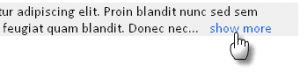
Update: The plugin is now on GitHub: https://github.com/viralpatel/jquery.shorten Facebook user updates has a great functionality. If the comment text is larger than few characters, the extra words are hide and a show more link...

Since few days I am working on a small project where I have to deal with lot of Ajax requests. The whole UI is designed such that only appropriate parts are refreshed with required...
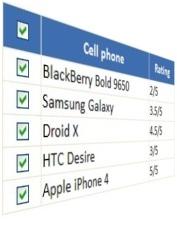
Almost all the user interfaces that I have created had this functionality of selecting multiple items from a list to process them or delete them. Although its very very easy to implement this functionality...