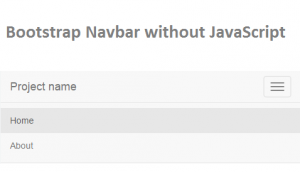
Bootstrap Navbar Menu without JavaScript
Bootstrap Navbar Menu without JavaScript – Bootstrap is getting lot of traction since past few years. While many argue it makes web look plain and similar, it has been boon to non-ui developers. The...
Cascading Style Sheets (CSS) is a template used to define how elements of a Web page will be displayed.
Bootstrap Navbar Menu without JavaScript – Bootstrap is getting lot of traction since past few years. While many argue it makes web look plain and similar, it has been boon to non-ui developers. The...
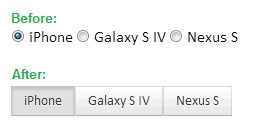
The idea is simple. We want to change the look and feel of existing radio buttons into more of a push button. The above image pretty much tells what we want to achieve. Now...

Update: The plugin is now on GitHub: https://github.com/viralpatel/jquery.shorten Facebook user updates has a great functionality. If the comment text is larger than few characters, the extra words are hide and a show more link...
Mozilla has finally released Firefox 3.6, the newest version of its popular browser after months of testing. New Firefox is 20% faster than Firefox 3.5, according to Mozilla. It uses Gecko 1.9.2 web-rendering, which...

Following are few CSS Tips and Tricks that I think every web developer should be aware of. You may already know many of these tricks. Disclaimer: Not all from the below CSS tricks are...
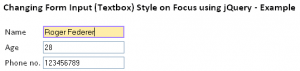
User experience has always been a factor to be consider while you design a website. Lot of fields such as Human Computer Interface (HCI) and Usability etc have been studied upon. While designing a...
Working with Internet Explorer and creating web pages that behaves same in IE has always been frustrating for many web developers. One way of tackling IE problem is to create IE-Specific Stylesheet and thus...

If you are a web developer you know how painful is to write a webpage that behaves same in all the web browsers. Generally the webpage created for Firefox behaves pretty much the same...
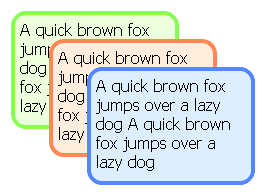
Lot of webdesigners uses rounded corner tables and divs to display information on the webpage. Not only it looks sleek but also eye appealing. The problem with coding such DIVs is that there is...

Hope you all have heard that behind-the-scene progress of the new version of HTML, is cruising through. There are some good news for those preachers of web standards who give importance to the semantically...